


Wishlist is where corporates post a technology need and technology companies apply with their solutions. Corporates reach relevant companies without a long scouting process. Technology companies see real, concrete needs and can apply in minutes.
Where to Find Wishlist
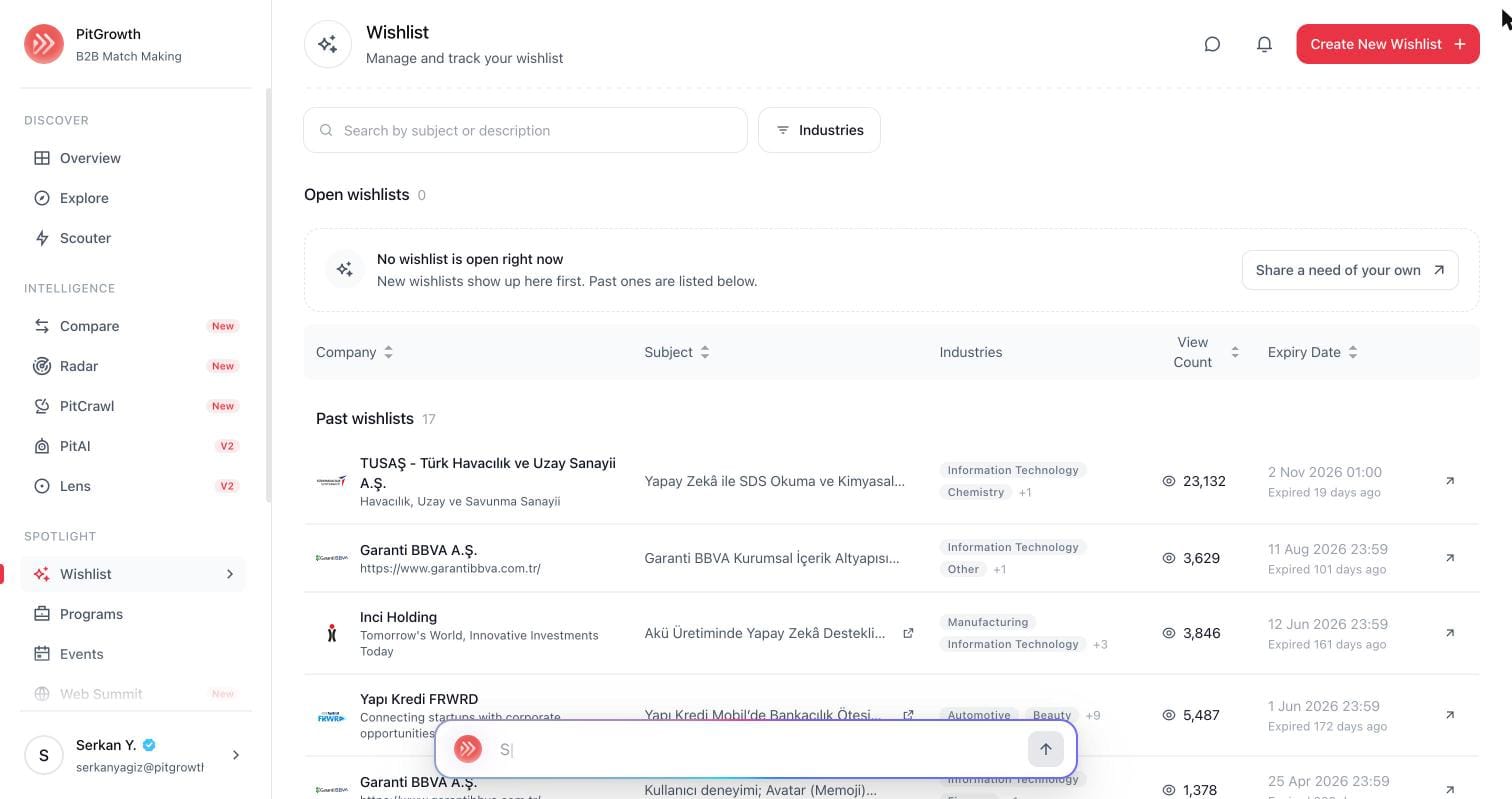
Choose Wishlist under Spotlight in the sidebar. Open wishlists are listed first. Past wishlists are listed below with their view counts and expiry dates. You can search by subject or description and filter with the Industries button. Wishlists you have applied to are marked APPLIED. You manage the wishlists you published from My Wishlist.
For Technology Companies: How to Apply
- Find a wishlist. Browse the open wishlists or search by topic.
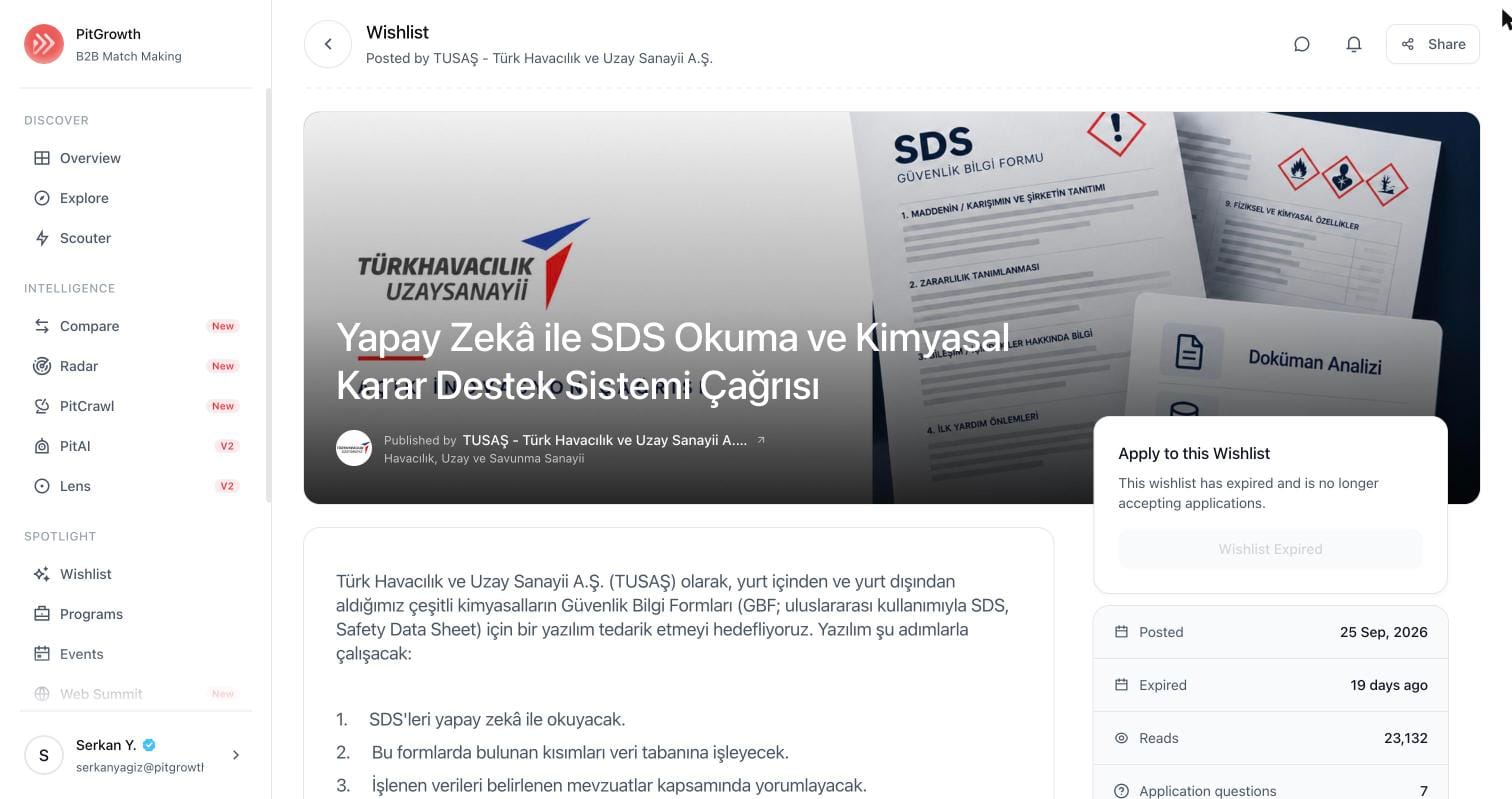
- Read the brief. Each wishlist page shows who published it, the full description, the posting and expiry dates, how many times it was read, how many application questions it has, its industries and any attached files.
- Apply. Use the Apply to this Wishlist card on the page and answer the questions. If the application needs a company profile, PitGrowth asks you to set one up at that point.
- Track it. Wishlists you have applied to are marked APPLIED in the list.
For Corporates: How to Post a Wishlist
Creating wishlists is part of the Enterprise plan. If your account is on another plan, Create New Wishlist opens a short overview of Enterprise with a link to our sales team. You can also use Share a need of your own on the Wishlist page to tell our team what you are looking for.
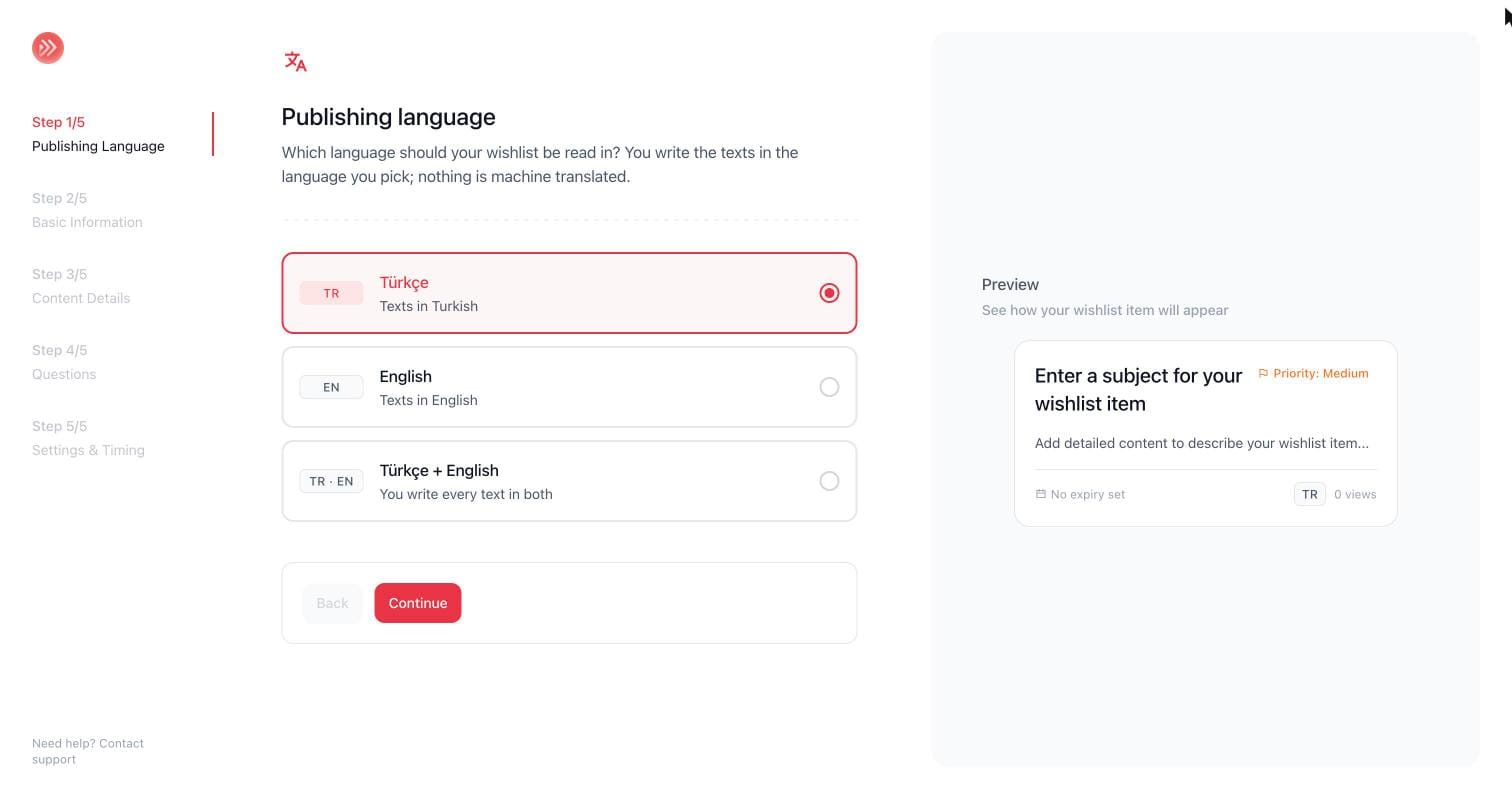
On Enterprise, Create New Wishlist opens a five-step wizard. A live preview on the right shows how your wishlist will look:
- Publishing language: Turkish, English or both. You write the texts yourself in the language you pick; nothing is machine translated.
- Basic information: The subject and main details of your need.
- Content details: The full description that applicants read before they apply.
- Questions: Your own application questions.
- Settings and timing: The deadline, which can include a time. Applicants see it in their own time zone.
Manage the Applications
- Review, score and manage every applicant's answers in one place.
- Open the full-screen response analytics to segment applicants by industry, company size or any answer, compare two segments side by side and cross-tab two questions.
- Let Pit AI read every application and score it against your profile and the criteria in your brief. You get a priority list with the reasoning behind each recommendation.
- Export a PDF report of the responses, and export applicants to PDF or Excel.
- Edit the wishlist after publishing, and get notified as applications reach milestones.
How to Write a Wishlist That Gets Strong Applications
- Describe the problem, not just the product you think you need.
- Explain your current situation and constraints, such as on-premise requirements or integrations with your systems.
- Say what a successful pilot would look like.
- Keep the questions few and clear, so good companies finish the form.
See how past calls went in our Wishlists section, or read the İnci Akü story: a narrow call on battery production that drew 75 directly matching applications.
Frequently Asked Questions
Who can create a wishlist?
Creating wishlists is part of the Enterprise plan. Other accounts can browse wishlists and use Share a need of your own to reach our team.
Can I apply after the deadline?
No. When a wishlist expires, its page shows that it no longer accepts applications.
Can I write my wishlist in both Turkish and English?
Yes. Choose Türkçe + English in the first step and write every text in both languages.
Do I need a company profile to apply?
Applications are made on behalf of a company. If you don't have a profile yet, PitGrowth asks you to set one up when you apply.
Can I change my wishlist after publishing it?
Yes. You can edit a wishlist after it is published, including its application questions.
This post is part of our Platform Guide section, where you can find more posts like it.


Discussion