


Pit AI is PitGrowth's AI assistant. Ask it a question in plain language and it answers using PitGrowth's company data: who does what, who has proven customers, and how similar companies compare.
Where to Find Pit AI
Choose PitAI under Intelligence in the sidebar. You can also reach Pit AI from the Pit AI bar at the bottom of every page.
Search or Ask from Any Page
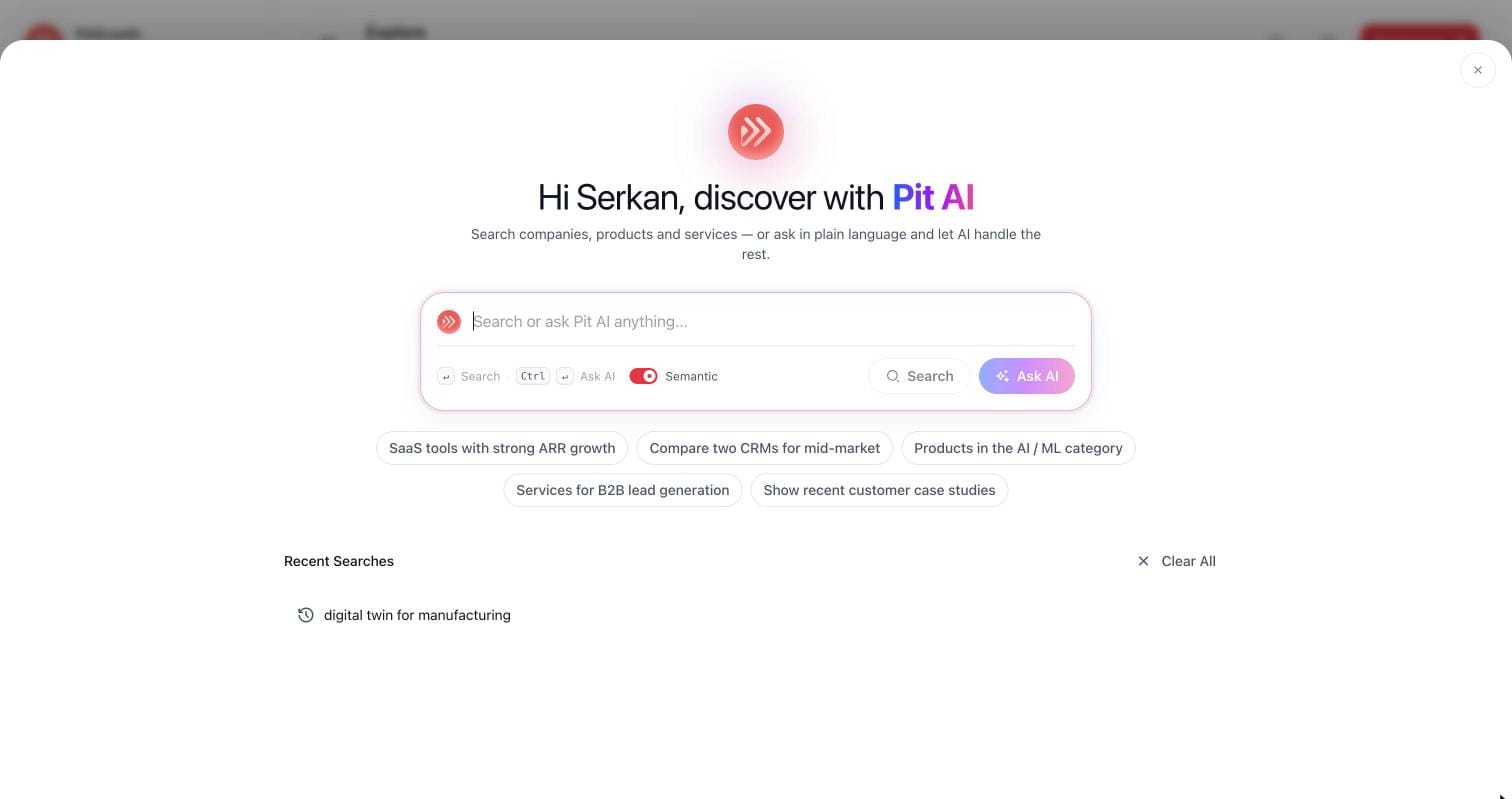
The Pit AI bar sits at the bottom of every page. Click it to open the full search window. Write what you need, then choose how to send it:
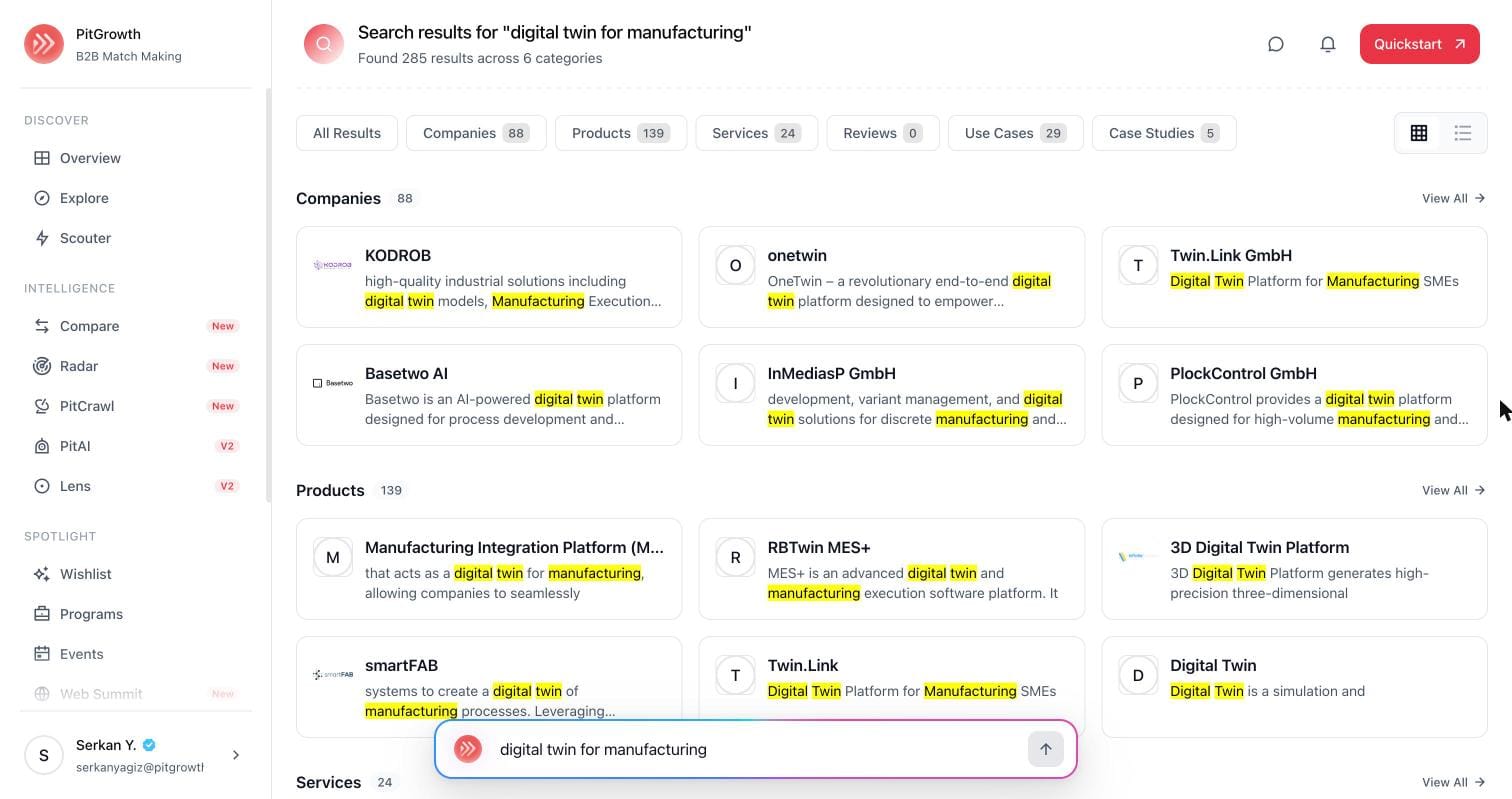
- Search (Enter): Runs a semantic search. With the Semantic toggle on, PitGrowth finds companies, products, services, use cases and case studies by meaning. Results open on a results page with a tab for each type, in grid or list view.
- Ask AI (Ctrl + Enter): Starts a Pit AI chat with your text as the question.
- Suggestions: Ready-made searches help you start in one click.
- Recent Searches: Your last queries stay one click away.
Not sure when to use keyword search and when to use semantic search? The Explore guide explains both.
Start a Conversation
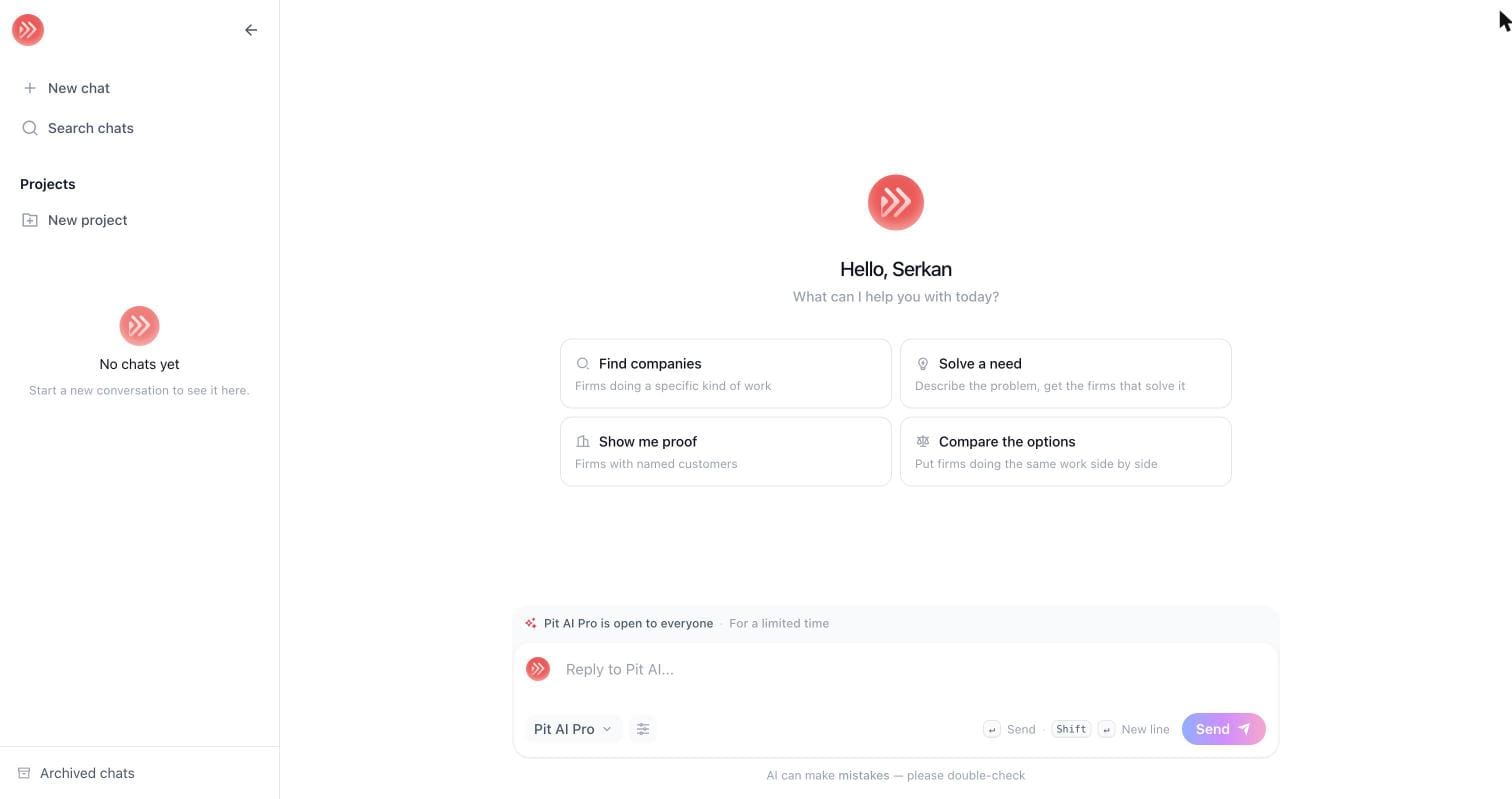
The start screen offers four starting points:
- Find companies: firms doing a specific kind of work.
- Solve a need: describe the problem and get the firms that solve it.
- Show me proof: firms with named customers.
- Compare the options: put firms doing the same work side by side.
Or type your own question. Press Enter to send it, and Shift + Enter to start a new line.
Choose a Model
- Pit AI: a fast, everyday assistant.
- Pit AI Pro: deeper reasoning and advanced features. Pit AI Pro is open to everyone for a limited time.
Keep Your Chats Organized
- Start a new chat at any time.
- Search your past chats. They are grouped by date: yesterday, the previous 7 days and earlier.
- Group related chats into projects.
- Archive the chats you no longer need.
Example Questions
- "Which companies in Türkiye offer predictive maintenance for energy distribution?"
- "Show me HR technology companies with named enterprise customers."
- "Compare three cybersecurity companies that work with banks."
- "We need software that reads safety data sheets with AI and runs on our own servers. Which companies can do this?"
Tips for Better Answers
- Be specific about the industry, country and company size you need.
- Describe the problem and your constraints, not just a product category.
- Ask follow-up questions in the same chat to narrow the list.
- Check the profiles of the companies Pit AI suggests. Like any AI, it can make mistakes.
Frequently Asked Questions
What is the difference between Search and Ask AI?
Search (Enter) returns lists of matching companies, products, services, use cases and case studies. Ask AI (Ctrl + Enter) opens a Pit AI chat that answers your question and explains its reasoning.
Where does Pit AI get its answers?
From the company data on PitGrowth: profiles, services, references and more.
Is Pit AI Pro paid?
Pit AI Pro is currently open to everyone for a limited time.
Can I continue a chat later?
Yes. Your chats are saved. Find them in the chat list or with chat search.
This post is part of our Platform Guide section, where you can find more posts like it.


Discussion